You know the feeling. You're looking for the extension cable, the spare keys, or the winter jacket you packed away last spring. You open box after box. You dig through the storage room. You check the same shelf three times.
It's not a memory problem. It's an organization problem — and it has a fix.
The moving box problem
Most people only discover how badly they need a home inventory when they move.
You pack dozens of boxes, label them "kitchen stuff" or "misc", and stack them in the new place. Three months later, you're still living out of half of them because you don't know which box has what. And when you finally unpack everything, you find three spatulas, two sets of playing cards, and a charger for a phone you no longer own.
The issue isn't that you own too much stuff. The issue is that you have no record of what you own or where it is.
What a home inventory actually does
A home inventory is exactly what it sounds like: a list of everything you own, organized by location.
Room by room, box by box, shelf by shelf — you build up a map of your home. When you need something, you don't search. You look it up.
This sounds tedious. In practice, it takes about an hour to get started and a few seconds per item after that.
How BoxIndex makes it practical
BoxIndex is a home inventory app built around one idea: the physical hierarchy of your home.
You have locations — rooms, garage, basement, storage unit. Inside locations, you have containers — boxes, shelves, drawers, bags. Inside containers, you have items.
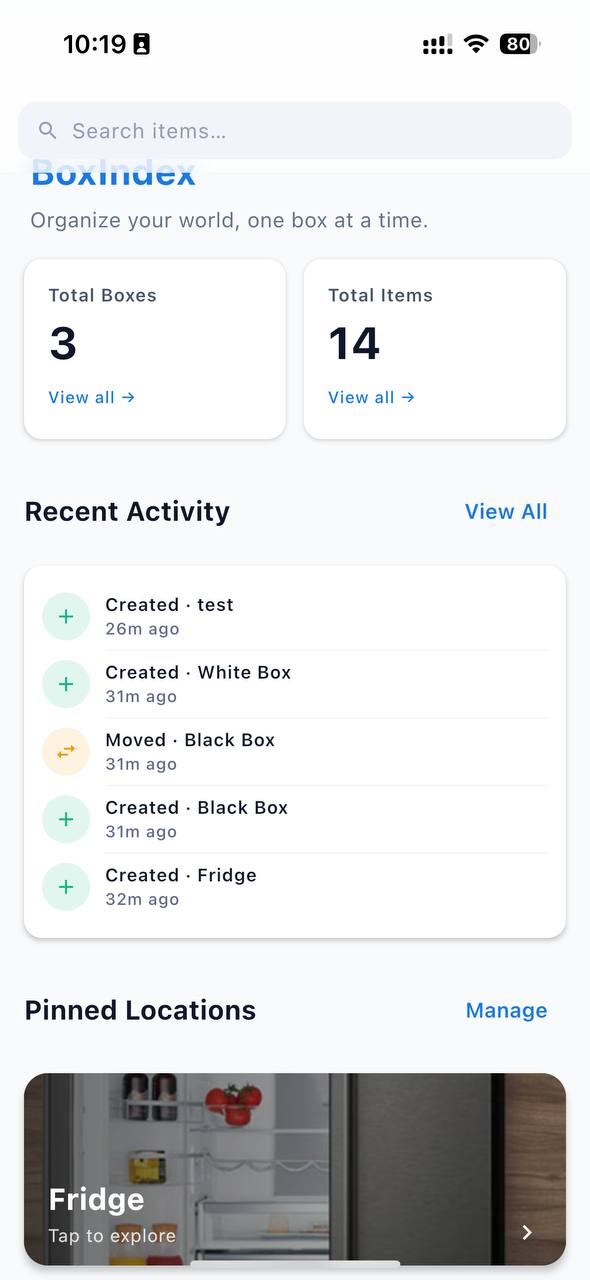
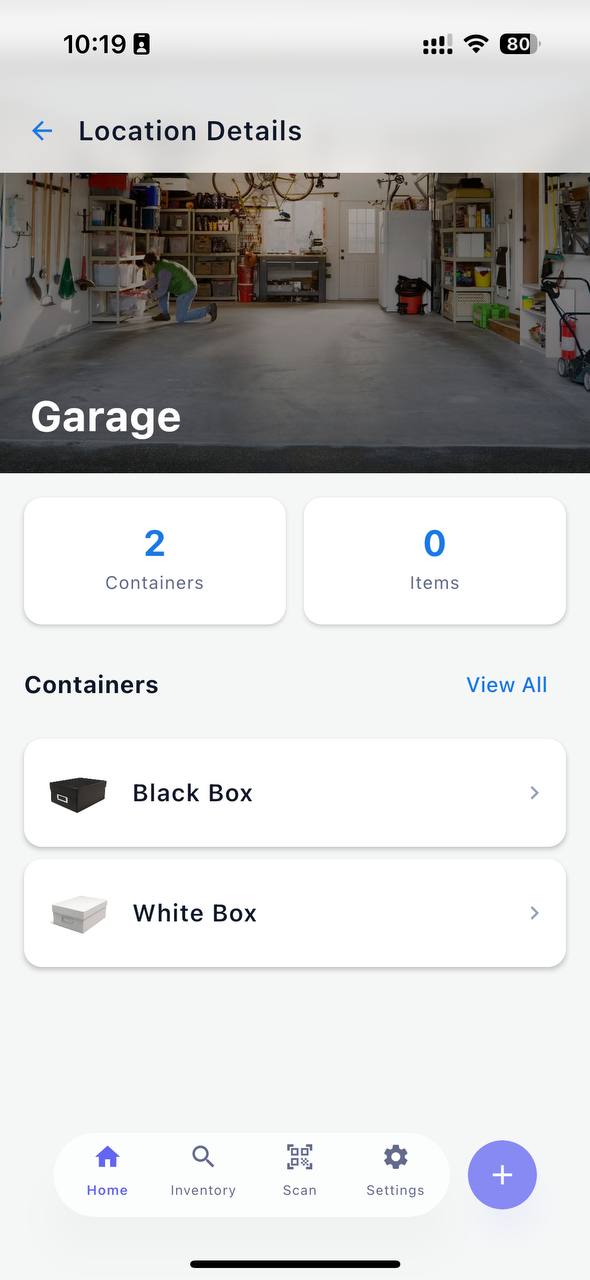
You add a photo of the item, write a short description, and that's it. Everything is stored locally on your phone. No account. No subscription. No data sent anywhere.
The feature that makes it actually useful for moving: QR codes.
Every container in BoxIndex gets a QR code you can print and stick on the box. When you need to know what's inside, you scan the code — and your phone opens directly to that container's contents. No typing, no searching, no guessing.
A real example: the storage room
The storage room is where organization goes to die.
You put something in there because you're not sure if you need it. Then you forget it exists. Then one day you need it and you tear the room apart looking for it.
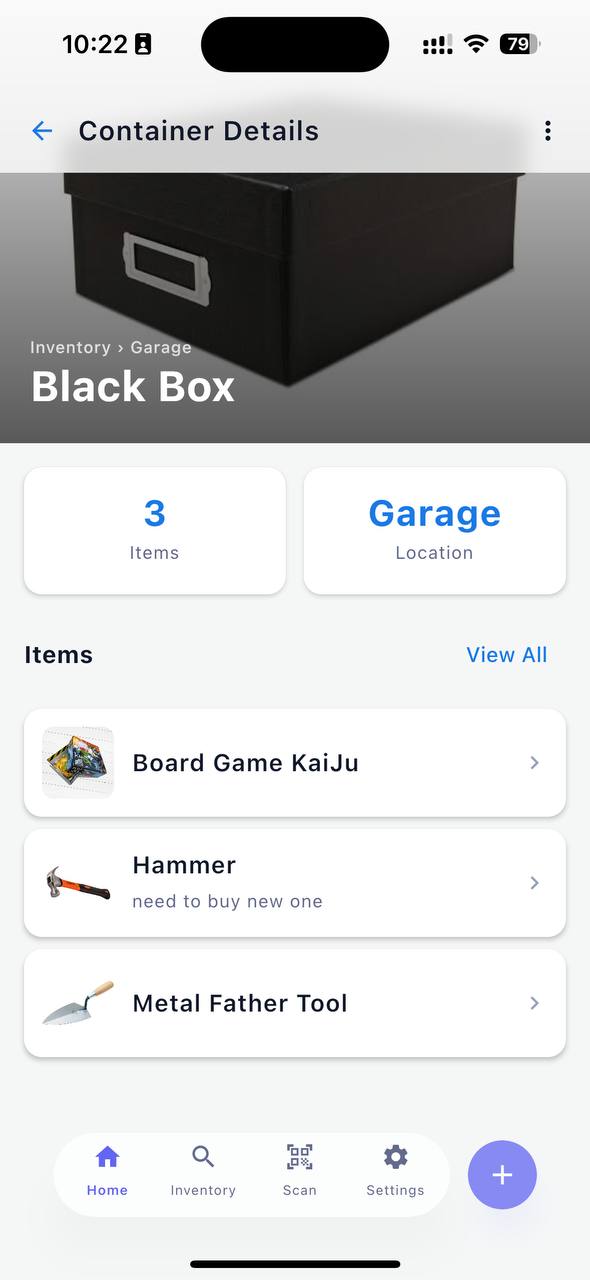
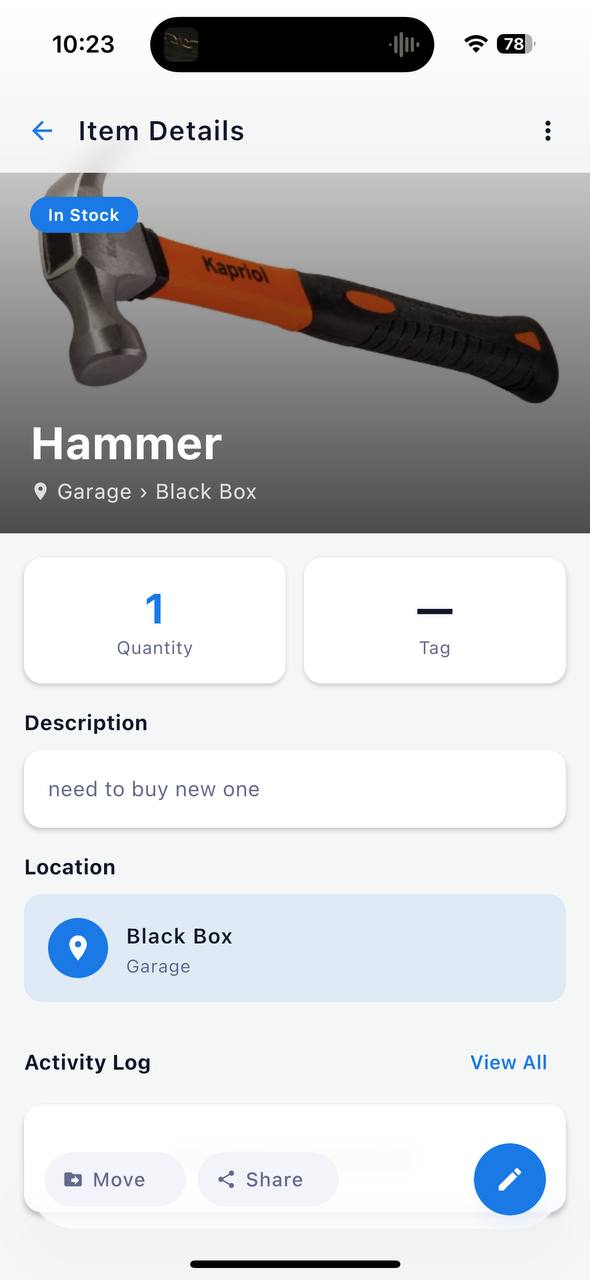
With BoxIndex, the workflow is:
- Take each box or shelf section as a "container"
- Photograph and list what's inside
- Print the QR code and tape it to the box
Next time you need something, you search in the app or scan the code on the box. Five seconds instead of twenty minutes.
What changes when you actually do this
Once your home is in BoxIndex, a few things shift:
You stop buying duplicates. You know you already have that item because it's in the app. You can even check before you go shopping.
Moving gets easier. You pack boxes, scan the QR codes, and every box is already documented. At the new place, you know exactly what's in each one before you open it.
Insurance becomes manageable. If something gets damaged or stolen, you have a photo record of your belongings. Not perfect for every situation, but far better than nothing.
You let things go more easily. When you can see everything you own in one list, it becomes obvious what you don't actually use. Decluttering is easier when you're working from data, not memory.
Getting started takes less than an hour
You don't need to inventory your entire home on day one. Start with one room, or just the storage boxes.
Add a location. Add a container. Start photographing items. By the time you've done one shelf, the habit is set.
BoxIndex is free, works offline, and never asks for an account.
Get BoxIndex on Android — iOS coming soon.