Choose your content
Start with text, a photo, or a PDF or DOCX document.
ANDROID / KNOW WHAT YOU SHARE
An email in a message. An author hidden in a PDF. A location saved inside a photo. Check the details before they leave your hands.
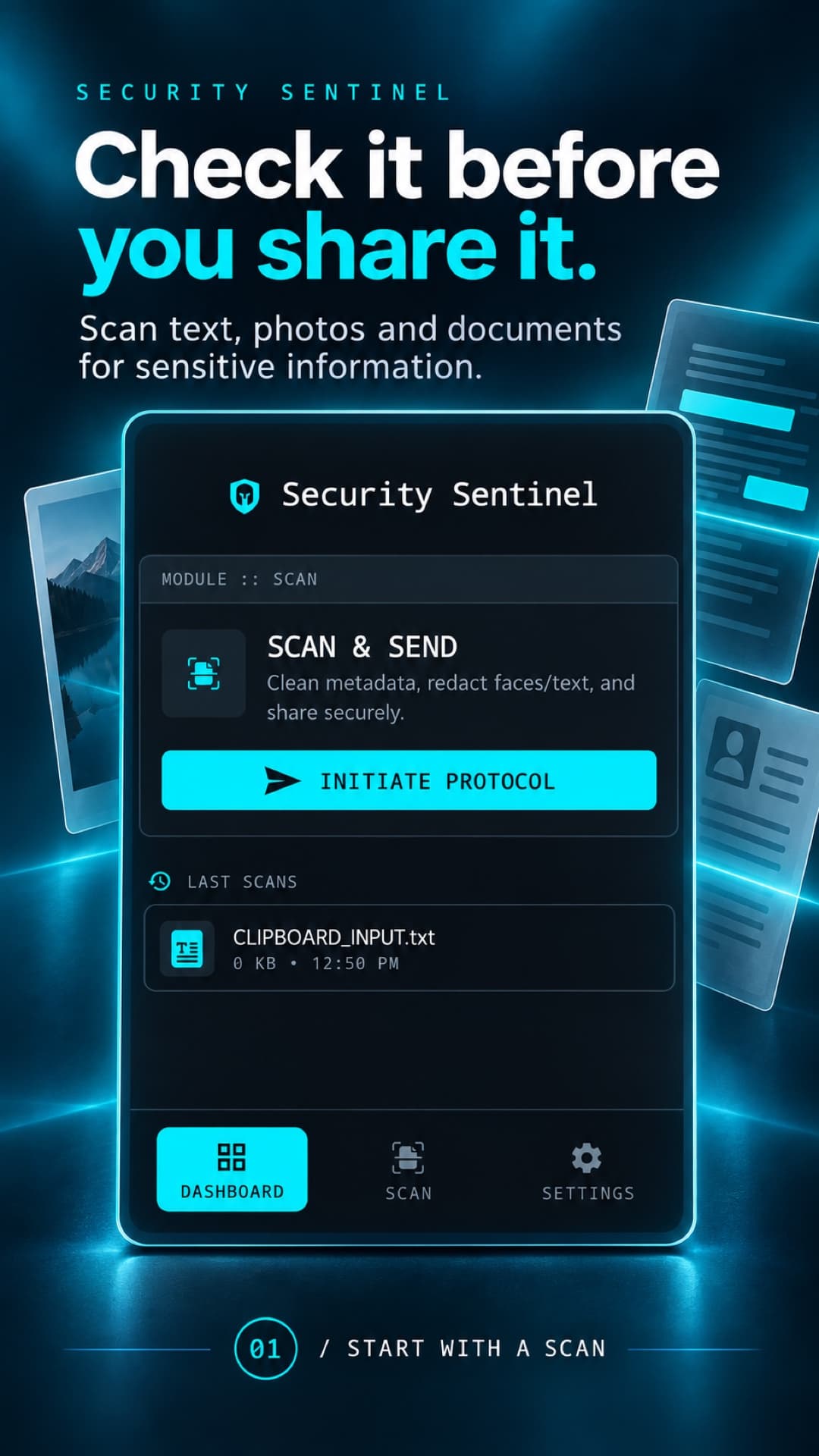
01 / A CHECK BEFORE YOU SEND
Start with text, a photo, or a PDF or DOCX document.
Review supported sensitive patterns and metadata, with risk labels to help you decide.
Select text to redact or metadata to remove. Inspect the result before you save or copy it.
02 / SMALL DETAILS, CLEAR CHOICES
Replace detected text with useful labels, or remove it entirely. The app lets you compare your original and cleaned text side by side.
Try this fictional example. The preview stays in your browser.
ORIGINAL TEXT
Please send the draft to alex@example.com.
Call +1 202-555-0147 to confirm.
Reference address: 192.168.1.24
Illustrative example · No file upload
03 / INSIDE SECURITY SENTINEL
Open Scan & Send to begin checking the content you want to send.
04 / MORE THAN THE VISIBLE WORDS
Flag supported personal and technical details, including emails, phone numbers and IP addresses. Select matches to replace or remove.
Inspect embedded location, device and other supported metadata. Review image-analysis findings and select metadata to remove.
Review supported PDF and DOCX metadata, such as author and creation-tool details. Save a separate cleaned copy.
PRIVACY, EXPLAINED
Your scanned content is analyzed on your device. Scan history stores local copies that you can delete. Some features use network services: ML Kit models and diagnostics, OpenStreetMap location previews, and Android system backup.
Read the full privacy policyDetection is a useful check, not a guarantee. Review outputs before sharing; document metadata cleanup does not remove sensitive body text.
A FEW THINGS TO KNOW
Choose text, supported JPG/PNG/HEIC images, or PDF/DOCX documents. Text scanning finds supported sensitive patterns; image and document scanning inspect metadata. Image analysis can also flag faces and readable text. Available findings depend on the file and device.
Scan your text, review the highlighted findings, then select which matches to replace with labels such as [EMAIL] and [PHONE], or remove entirely. Compare the result with the original before copying or saving it.
The app analyzes content on-device and does not upload scanned files to a Zarzara server. Google ML Kit may download models and send technical metrics to Google. Firebase Analytics collects app usage and fixed screen names, not scanned content. Photo location previews request map tiles from OpenStreetMap, revealing the requested area and your IP address. Android system backup may include app data, depending on your device settings.
Open Settings and use Clear History, or remove individual entries from Inspection History Log. This deletes the app’s saved history copies and reports. Original files, exported copies, temporary cache and system backups are separate; manage those with Android and the services you used.
No. Detection can miss information or flag harmless content. Metadata cleanup does not automatically remove sensitive information visible in a document’s body. Review every output before sharing, and keep an original if you need to preserve signatures, formatting or other file features.
Security Sentinel is an Android app. Its Google Play release is in preparation. This page will link to the public listing when it is available.