Review
Open New Media, Screenshots, Videos or your whole library, by month, year or folder. One item at a time, newest or oldest first.
IPHONE & ANDROID / PHOTO CLEANER
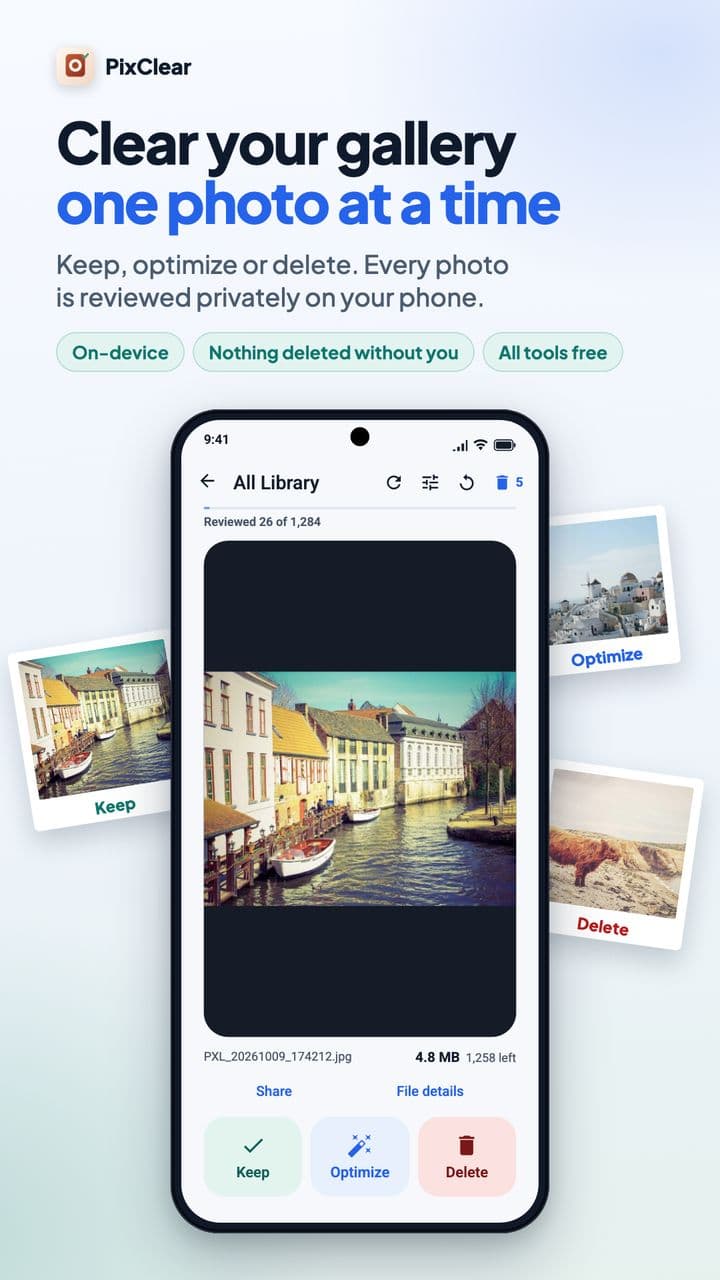
PixClear shows your photos and videos one by one. Keep what matters, shrink big files into a smaller copy, and stage the rest for deletion. Everything happens on your phone, and nothing is deleted until you confirm.
01 / TRY IT
This is how a review feels in PixClear. Decide on each photo; deletions wait in a tray you can still empty back out.
Demo with sample photos. Nothing on your device is touched.

Nothing pending yet.
Nothing has been deleted. In the app, you confirm in the system dialog.
02 / HOW IT WORKS
Open New Media, Screenshots, Videos or your whole library, by month, year or folder. One item at a time, newest or oldest first.
Keep what matters. Optimize big photos and videos into a smaller copy and compare it with the original. Mark the rest for deletion.
Deletions wait in Pending Deletions. Restore anything, then approve the system’s own confirmation. Nothing disappears by accident.
03 / APP TOUR
Keep, Optimize or Delete. The counter shows how much is left, and you can stop and continue later.
04 / FEATURES
After setup, PixClear keeps new photos in their own queue, so reviewing a few each day is enough.
Choose the one frame you love and keep it as a still photo.
See what files add up to, including iCloud items on iPhone, without pretending it equals freed space.
Optimized copies are saved to a PixClear album. Your original is never overwritten.
An optional local reminder on days a review is waiting. No account, no server.
From Spanish and German to Japanese, Hindi and Arabic, with right-to-left support.
05 / PRICE
Every tool, unlimited. Ads appear at natural breaks, never during optimizing or deleting.
Watch one rewarded ad whenever you like a quiet session.
Remove ads for good with a yearly plan or a one-time lifetime purchase.
Prices are shown by the App Store or Google Play in your currency.
06 / PRIVACY
PixClear reviews and optimizes photos and videos on your device. It never uploads them. Ads come from Google AdMob and purchases are verified by RevenueCat; neither receives your photos, file names or locations from PixClear.
Read the Privacy PolicyIssue reports are optional, and you see the whole text before anything is shared.
07 / QUESTIONS
Yes. Every tool is free and unlimited. PixClear shows ads; you can watch a rewarded ad for 24 hours without ads, or buy Premium (yearly or lifetime) to remove ads. Prices are shown in your store’s currency.
No. Photos and videos are reviewed and optimized on your device. The ad and purchase services PixClear uses never receive your media files.
No. Anything you mark for deletion waits in Pending Deletions, where you can restore it. Nothing is deleted until you approve the system’s own confirmation, and the system then keeps it in Recently Deleted for a while.
Pick a preset (best quality, balanced or smallest file) and PixClear creates a smaller copy on your device. You compare original and optimized side by side. If you keep the optimized copy, it is saved to a PixClear album and the original waits in Pending Deletions until you confirm.
You can choose the one frame you want and keep it as a still photo; the Live Photo then waits in Pending Deletions. Compression that keeps the motion is not available yet.
Yes. On iPhone, PixClear reviews iCloud items too and shows file sizes for the whole library. Exact sizes for iCloud-only items need a download, which happens only when you choose to measure them.
English, Spanish, Portuguese (Brazil), French, German, Italian, Japanese, Korean, Simplified Chinese, Hindi, Arabic, Romanian and Russian.
PixClear is coming soon to the App Store (iOS 17 or later) and Google Play (Android 11 or later). This page will link to both stores at launch.